
iOS simulator access for Claude Code in remote containers
Claude Code in a Linux container can still check iOS work. Compare hosted simulators, a Mac bridge and cloud Macs, then wire MCP and a sandbox CLI.
- Written by
- Gautam Agarwal
- Read time
- 9 min read
- Published

Key Takeaways
- Claude Code Desktop's iOS Simulator pane runs in local Mac sessions only; cloud and SSH sessions sit on machines out of reach of your Mac's simulators.
- A Linux container reaches iOS in one of three ways: a hosted simulator service, a bridge to a Mac you own, or Claude Code moved onto a cloud Mac.
- The agent needs four things: a simulator build from a Mac, a device it leases itself, feedback after every action, and evidence a person can check.
- App logs and failed requests catch bugs a screenshot hides, such as a success message over a rejected API call.
- Give each session its own device, a test account and an idle timeout, so each parallel agent keeps its own state.
Claude Code writes the SwiftUI screen in minutes from a Linux container. Proving it works takes an iOS simulator, and Apple's simulator runs only on macOS. The answer is to keep Claude Code where it is and lease a simulator over the network.
Why a Linux container stops at the build
On the web, checking a change is cheap. The agent starts a dev server, opens a headless browser in the same container, and reads the page.
iOS breaks that loop at the first step. Xcode runs on macOS, the iOS Simulator ships inside Xcode, and the containers coding agents run in are Linux, because Linux is what makes a fresh environment per task affordable. Installing more packages in the container leads nowhere: Apple licenses macOS virtualization only on Apple hardware, so a macOS guest on a generic cloud host is off the table.
Claude Code's own tooling reflects the same boundary. Its streams a simulated iPhone next to conversation and lets Claude tap through the app it just built. The documentation is specific about where that works: on a Mac with Xcode 26.x, in local sessions. Cloud and SSH sessions run on another machine, out of reach of the simulators on your Mac. The pane also covers simulated devices only, and the screenshots Claude reads go to Anthropic under normal retention, so test accounts belong on any device an agent drives.
So the workable shape is a split. Claude Code keeps writing code in the container, and everything that needs macOS sits behind a call container can make.
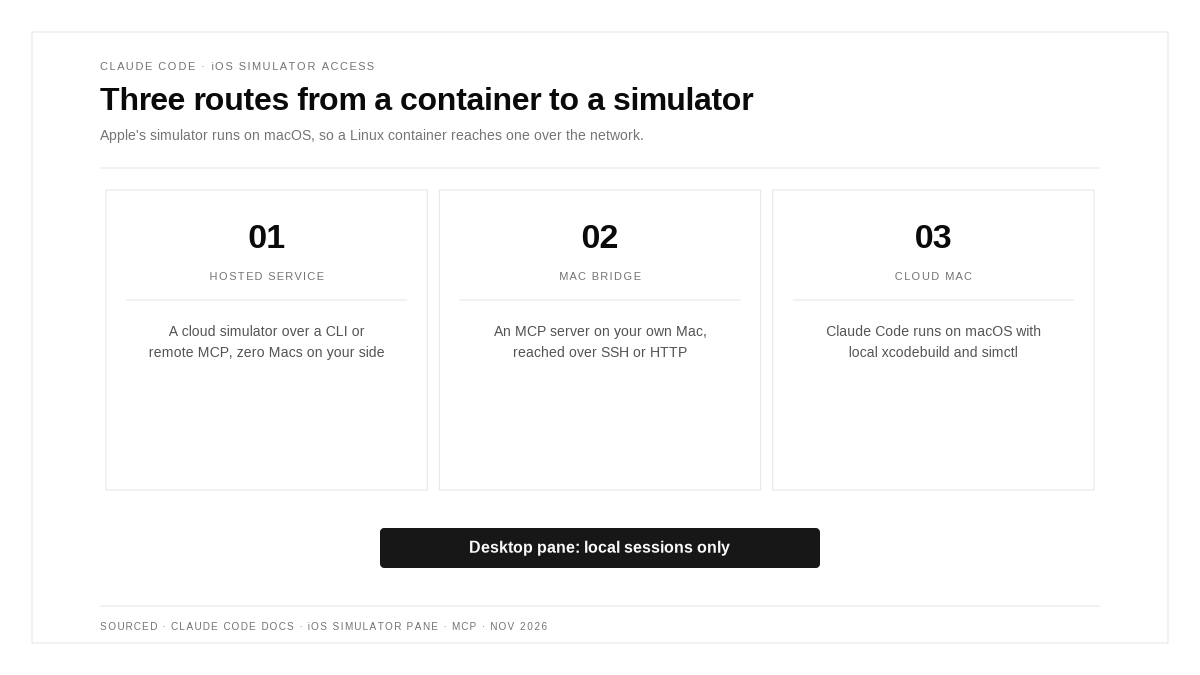
Three routes from a container to a simulator
| Route | Mac hardware on your side | How Claude reaches the simulator | Where it fits |
|---|---|---|---|
| Hosted simulator service | Zero | A CLI or remote MCP server over HTTPS | Cloud sandboxes, CI agents, parallel sessions |
| Bridge to your own Mac | A Mac or Mac mini you run | An MCP server on the Mac, reached over SSH or HTTP | A devcontainer that already runs on a Mac |
| Claude Code on a cloud Mac | A rented Mac | Local xcodebuild and xcrun simctl | Heavy native builds and testing in one place |
The bridge reuses hardware you own and costs you a tunnel to maintain. The cloud Mac is the simplest mental model and the most expensive hour. The hosted route is the one that scales with the number of agents, because each session leases a device and hands it back. The rest of this article follows that route. For Apple's own agent tooling on the Mac side, this primer on Xcode MCP for coding agents covers what Xcode exposes.
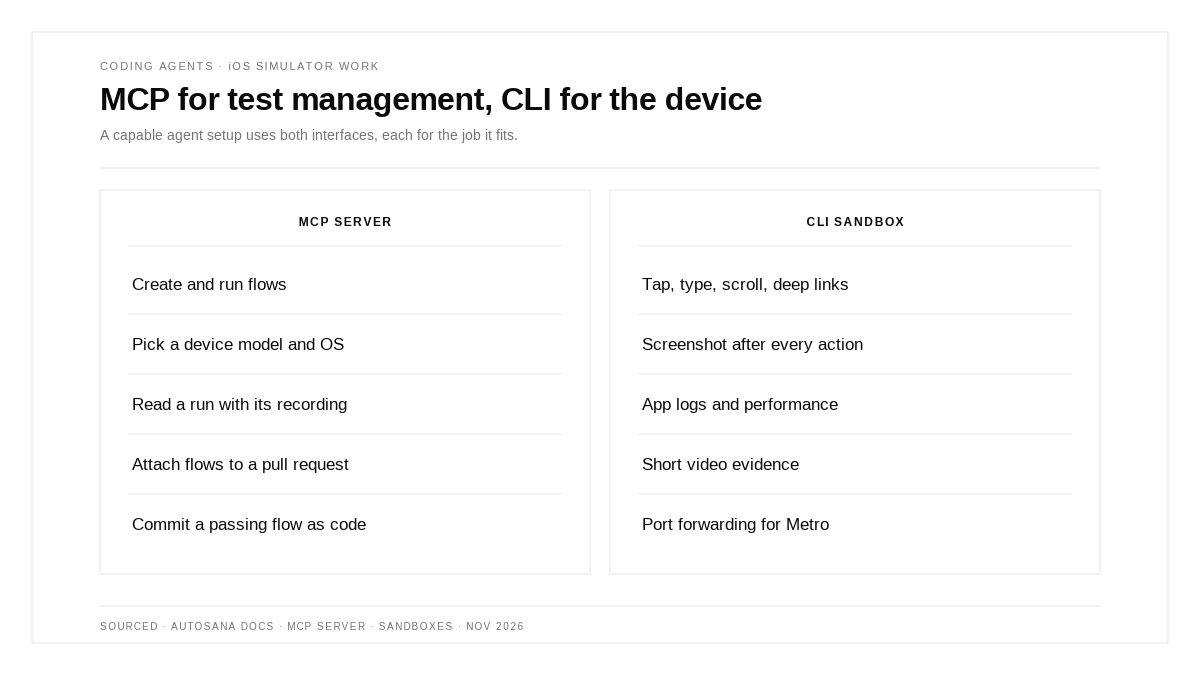
Four pieces Claude Code needs for iOS checks
A simulator build from a Mac
A simulator installs a .app compiled for the simulator SDK, and compiling it takes Xcode. In practice the build comes from a macOS CI job that stores zipped .app as an artifact, from EAS Build with "ios": { "simulator": true } for Expo apps, or from a provider that compiles on its own Macs.
JavaScript changes are the exception worth designing for. A React Native debug build loads its bundle from Metro, so forwarding port 8081 from the cloud device to the container gives Claude hot reload with zero rebuilds. An agent iterating on layout runs many more cycles than a person does, so every rebuild it skips compounds.
A device it leases on its own
An agent that has to ask a person for a simulator is waiting, and waiting agents stall. The device has to be creatable and disposable from a command, and it has to belong to one session. Two agents tapping the same screen produce results that both have to distrust.
Feedback after every action
Each tap has to come back with a picture of the new screen, or the agent is guessing what happened. Autosana's sandbox commands wait for the screen to settle and save a screenshot after every action, as a file in the workspace Claude already reads. Coordinates refer to pixels in latest screenshot, so the rule for the agent is simple: look, act, look again.
Evidence a person can check
"All checks passed" from an agent is a claim. A screen recording, titled steps and a replay page turn it into something a reviewer verifies in a minute, with zero rebuilds on their side.
One iOS check from a Claude Code container, step by step
Say Claude has added an order-details screen reached from a push notification deep link. Here is whole check, with zero Apple software installed in the container. Commands follow Autosana's sandbox documentation.
1. Install the CLI and sign in once per repository.
curl -fsSL https://get.autosana.ai | sh
autosana login
The login is saved per git repository, so every worktree agent opens later is already authenticated.
2. Lease a simulator with the new build.
autosana sandbox start --platform ios --upload build/MyApp.app.zip --device "iPhone 17 Pro" --os 26.0
The command leases a cloud iOS Simulator, installs the build and launches it. One sandbox belongs to the current git worktree, so a second agent in another worktree gets its own device.
3. Open the screen the way a user reaches it.
autosana sandbox open myapp://orders/42 --description "Open order 42 from a deep link"
autosana sandbox look
The deep link exercises the routing code Claude just wrote. The screenshot from look shows whether the order header, line items and total rendered.
4. Drive the change.
autosana sandbox tap 603,1311 --description "Tap Track shipment"
autosana sandbox wait 2s
Each --description titles the step on the sandbox's replay page, which is what a reviewer reads later.
5. Check underneath the UI.
autosana sandbox logs --since 3 --grep "error"
autosana sandbox network --failed
This is the step agents skip when they perform badly. A screen can show a tracking card while the request behind it failed and card is rendering cached data. The app log and the list of failed requests (available on the iOS Simulator) are where that class of bug shows up, and a screenshot alone carries zero trace of it.
6. Fix, reinstall, repeat. After a native fix, autosana sandbox upload <path> installs new build on the same device; launch --reset reinstalls clean when state from the last attempt would muddy the result.
7. Hand it to a person.
autosana sandbox video --last 30s
autosana sandbox end
The recording and the replay page, with every step, screenshot, log and performance tab, are what Claude links in its summary or on the pull request.
Signals Claude Code should trust, in order
- App logs and failed requests. They catch the failures that matter most, ones where the UI renders over a broken call.
- Screenshots after each action. The ground truth for layout and navigation, and the input for the next tap.
- Performance per step. autosana sandbox perf --since <step> shows memory and CPU, which flags a screen that leaks on every visit.
- Recordings and the replay page. Lower value to the agent, highest value to person who reviews its work.
Claude Code MCP setup for test flows
The CLI drives a device. Saving check as a repeatable test is a different job, and MCP is the better fit for it. The Claude Code MCP documentation covers the registration command and scopes; --scope project writes .mcp.json at repo root, so every container built from the repo gets the server:
claude mcp add --transport http --scope project autosana https://mcp.autosana.ai/mcp
Run /mcp once to finish browser sign-in. From then on, Claude can call devices_list to pick a model and OS, flows_create to save the deep-link check as a natural-language flow, flows_run to run it in the cloud, and read_flow_run to read a failed run with its screen recording. The labels every tool as read-only or data-changing, so Claude can ask before it edits flows or starts runs. This comparison of MCP servers for test automation shows how other tools split the same work.
Standing instructions make the habit stick. A line in AGENTS.md or CLAUDE.md, as the sandbox docs suggest, tells Claude to check every user-facing mobile change in a sandbox, title each step, and end sandbox when done.
Security guardrails for parallel agent sessions
- One device per session. Once a worktree holds more than one sandbox, every command needs --sandbox <id>, so each agent drives only its own device.
- Idle and total limits. A sandbox ends 30 minutes after its last command and lasts at most 12 hours. autosana sandbox extend 1h covers a long native build; everything else reaps itself.
- Test data only. Screenshots flow to the model provider, so seed a test account per session and keep real credentials out.
- A cap on fleets. Your plan limits how many sandboxes are live at once, which doubles as a budget control for parallel agents.
For a wider look at how coding agents test mobile apps, see this comparison of testing tools for Claude Code, Cursor and Codex. For the pre-PR side of the same loop, read .
Conclusion
Claude Code's simulator pane covers a developer's own Mac. A container or cloud sandbox needs the Mac somewhere else, and a hosted simulator is the route that scales with the number of agents.
Give Claude four things: a simulator build from macOS CI or EAS, a device it leases per session, a screenshot after every action plus logs underneath, and a recording for reviewer. Then put the check in AGENTS.md and save the good ones as flows.
FAQs
Can Claude Code run the iOS Simulator in a Linux container?
The simulator runs on macOS; a container reaches it through a hosted service or a Mac bridge.
Does the Claude Code simulator pane work in cloud sessions?
Claude Code's docs limit the pane to local sessions on a Mac with Xcode.
How do I add a remote MCP server to Claude Code?
Run claude mcp add with --transport http, a name and the server URL.
Why should an agent read app logs after a UI check?
Logs reveal failed requests behind screens that still render correctly.
How do parallel agents avoid sharing a simulator?
Give each session its own device, test account and idle timeout.
How does Autosana give Claude Code an iOS simulator?
Its CLI leases a cloud iOS simulator per worktree; its MCP server manages flows.