
Real iPhone test automation from GitHub Actions
Run Appium, Maestro and agent-driven tests on real iPhones from GitHub Actions: signing, WebDriverAgent, Maestro's iOS limits, device APIs and CI wiring.
- Written by
- Gautam Agarwal
- Read time
- 8 min read
- Published

Key Takeaways
- Appium drives a real iPhone through WebDriverAgent, which needs its own provisioning profile, a trusted device, Developer Mode and UI Automation switched on.
- Maestro's documentation lists full iOS support for simulators; real iPhone runs need a different runner or tool.
- A real-device run needs an .ipa built for physical hardware; simulator .app builds install only on simulators.
- Cloud re-signing can break Team-ID-prefixed keychain access groups, so check your provider's remapping option.
- Gobi went from 13 brittle Maestro tests to more than 30 agentic flows after switching tools.
Real iPhone test automation runs your UI tests on physical iPhones, triggered from CI, so hardware, signing and OS match what users have. This walkthrough goes from a signed build to a required check on the pull request, with a stop for agents that need the same devices.
Before you start with real iPhone test automation
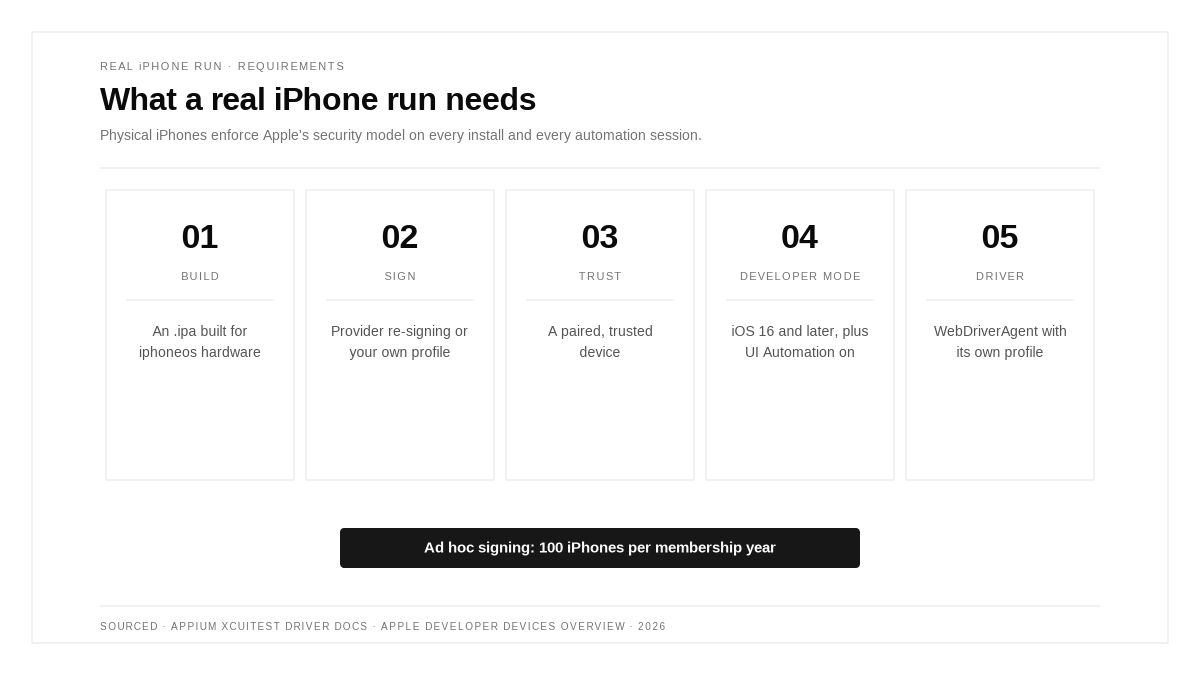
Simulators accept any simulator build. Physical iPhones enforce Apple's security model on every install, so a real-device pipeline has more prerequisites than a simulator one.
| Requirement | Why it exists | Who handles it in a cloud |
|---|---|---|
An .ipa built for iphoneos | Simulator builds target a different SDK | You, in the build job |
| A signature the device accepts | iOS installs only signed apps | The provider re-signs, or you sign for registered devices |
| A trusted, paired device | The device must trust the host driving it | The provider |
| Developer Mode, iOS 16 and later | Required to run development-signed apps | The provider |
| UI Automation enabled | Required for XCUITest-based drivers | The provider |
| Registered UDIDs for ad hoc builds | Apple allows 100 iPhones per membership year | You, if you skip provider re-signing |
Two rows stay with you on any device cloud: the build and the signing choice. Everything else is the provider's job, which is most of the reason to use one.
Step 1: Export an ipa for physical iPhones
Archive the app on a macOS runner and export an .ipa for physical devices, then upload it as a workflow artifact. A simulator .app installs only on simulators, so a pipeline that already tests on simulators needs a second export of the same app.
The signing choice comes next. If the provider re-signs your build, entitlement-dependent features can change behavior during the test; keychain access groups prefixed with your Team ID are the usual casualty. If you sign for specific devices yourself, each registered iPhone counts against Apple's 100-per-year allowance, and disabling one later leaves the count unchanged.
Step 2: Choose a driver that supports real iOS
iOS test tools differ on whether they reach physical phones, and finding that out after porting a suite is expensive.
Appium. The XCUITest driver installs a helper app, WebDriverAgentRunner, on the device and drives your app through it. Its device preparation guide lists the device side: trust the computer, turn on Developer Mode, turn on Enable UI Automation under Settings > Developer, and give WebDriverAgent a valid provisioning profile. With a paid developer account, the driver can sign WebDriverAgent itself:
{
  "platformName": "iOS",
  "appium:automationName": "XCUITest",
  "appium:udid": "",
  "appium:app": "/builds/MyApp.ipa",
  "appium:xcodeOrgId": "",
  "appium:xcodeSigningId": "Apple Developer",
  "appium:updatedWDABundleId": "com.example.WebDriverAgentRunner"
}
On a device cloud, the provider usually handles WebDriverAgent and exposes a WebDriver URL your test points at. Read the endpoint's limits first; AWS Device Farm's Appium endpoint runs commands one at a time with a four-minute timeout per command. This overview of Appium covers where it fits today.
Maestro. Maestro's supported platforms page lists full Android support for emulators and physical devices, and full iOS support for simulators. A real-iPhone requirement therefore means a third-party runner that executes Maestro YAML on devices, a device cloud that offers one, or moving those journeys to a tool that drives iPhones directly.
Natural-language flows. Autosana runs flows described in sentences on simulators and real devices from the same definitions. The tooling decision is often about maintenance more than device support. Gobi, a social maps app, followed Expo's recommendation to Maestro, held 13 tests after a two-hour all-hands writing session, and caught one to three bugs in four months while copy changes broke selectors. The Gobi case study covers the move to more than 30 agentic flows.
Step 3: Run real iPhone tests from a GitHub Actions workflow
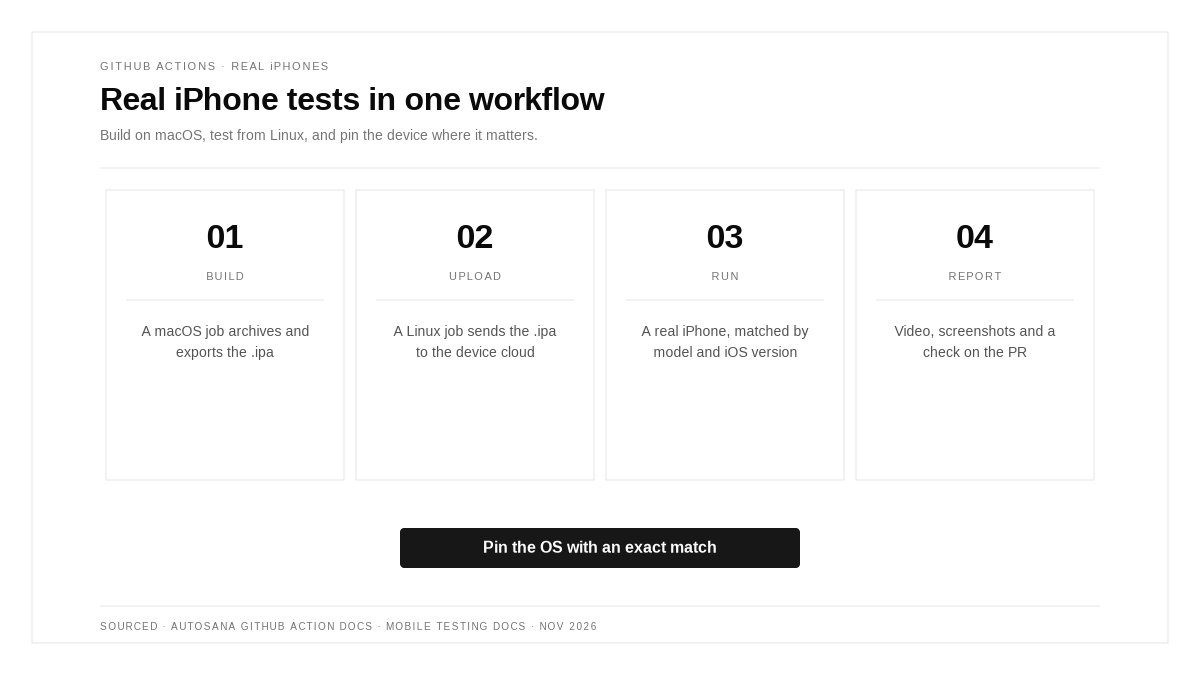
The workflow has two jobs. A macOS job exports the .ipa; a test job on Linux uploads it and runs tests on a real device, since the device lives in the provider's cloud. Autosana's GitHub Action shows the shape:
jobs:
  build:
    runs-on: macos-latest
    steps:
      - uses: actions/checkout@v4
      # archive and export build/MyApp.ipa for physical devices
      - uses: actions/upload-artifact@v4
        with: { name: ipa, path: build/MyApp.ipa }
  real-iphone:
    needs: build
    runs-on: ubuntu-latest
    steps:
      - uses: actions/download-artifact@v4
        with: { name: ipa, path: build }
      - uses: autosana/autosana-ci@main
        with:
          api-key: ${{ secrets.AUTOSANA_KEY }}
          platform: ios
          bundle-id: com.example.app
          build-path: build/MyApp.ipa
          physical-device: true
          device-model: iPhone 16 Pro
          os-version: "26"
          os-version-match: exact
          enable-ios-keychain-access-group-remapping: true
          labels: smoke
Three inputs do the real-device work. os-version-match: exact keeps iOS 26 fixed when the preferred model is busy, so the run moves to another free phone on the same OS. enable-ios-keychain-access-group-remapping handles the Team-ID-prefixed keychain groups that cloud re-signing breaks. And because the action waits for results and fails the job when a selected test fails, the step works as a required check.
Step 4: Give AI agents real device access over an API
Coding agents need the same devices CI uses, through an interface they can call themselves.
| Pattern | How an agent reaches the device | Example |
|---|---|---|
| Run API | Trigger flows on a named model and OS, poll for results | Autosana Runs API with a device object: physical, model, os_version, match |
| Interactive CLI session | Lease a device, then tap, type, read logs and record video step by step | Autosana sandboxes started with --physical, enabled on request |
| WebDriver endpoint | Send Appium commands to a hosted device | AWS Device Farm remote access sessions with an Appium endpoint |
The CLI pattern suits agents best, because every command returns a screenshot the agent can reason about. On a real iPhone, Autosana's sandbox docs note that performance data and the recording arrive after the sandbox ends, and idle and total time limits run shorter than on simulators. Short, focused checks fit that budget.
Step 5: Debug failed real iPhone test runs
Real-device failures cluster into a handful of causes. Reading them in this order saves most of the time.
| Symptom | Likely cause | Next check |
|---|---|---|
| App fails to install | Simulator build, or a profile that excludes the device | Confirm an iphoneos .ipa and the signing path |
| Keychain reads come back empty | Re-signing changed the Team ID prefix | Turn on keychain access group remapping |
| Push stays silent | Entitlements removed by re-signing | Move the flow to a private device with your signature |
| Passes on simulator, fails on iPhone | Hardware, performance or a fallback device | Check the exact model and OS on the run page |
| Commands time out midway | Endpoint limits on command length | Read the provider's endpoint limits |
Autosana's states that each real-device run shows the exact model and OS it executed on, with full video and screenshots for every agent action. Start there: a failure on a fallback device points to a model-specific bug, and a failure on the pinned device points back at your build.
Real iPhone testing limits in CI
- Start time. Real-device runs start about one to two minutes later than emulator runs while a device is acquired.
- Video finalization. iOS real-device sessions take a few extra minutes to finalize video.
- Availability. Busy models fall back to the closest free device unless pinned with an exact match; runs wait up to five minutes before failing.
- Entitlements. Push notifications and native purchases on physical devices need private devices that keep your original signing.
Keep the journey suite on simulators for every pull request and send a tagged real-device set to iPhones nightly or before release. For the wider picture of iOS automation layers, read this overview of iOS test automation, and for the private-versus-shared decision behind the devices, see private device cloud versus shared device farm.
Conclusion
Real iPhone automation comes down to five steps: export a signed .ipa, choose a driver that reaches physical iOS, wire the device into GitHub Actions, give agents the same access, and know how to read a failure.
Build on macOS, test from Linux, pin the OS where it matters, and keep simulators doing the per-PR work while real iPhones cover the hardware and release checks.
FAQs
Can Appium run tests on a real iPhone?
Yes, through WebDriverAgent with a valid provisioning profile and Developer Mode on.
Does Maestro support real iPhones?
Maestro's docs list full iOS support for simulators; physical iPhones need a different runner.
Which build do real iPhones need?
An ipa built for physical devices; simulator app builds install only on simulators.
Can GitHub Actions run real iPhone tests?
Yes, a Linux job can upload the ipa to a device cloud and wait for results.
How do AI agents get real device access?
Through a run API, an interactive CLI session or a hosted WebDriver endpoint.
Does Autosana support real iPhones?
Yes. Autosana runs flows on real iPhones from an ipa, selected by model and iOS version.