
EAS Build versus self-managed macOS for React Native teams
EAS Build or your own Macs for React Native iOS builds? Compare build workers, pricing limits, credential custody, local builds and agent-driven builds.
- Written by
- Gautam Agarwal
- Read time
- 7 min read
- Published

Key Takeaways
- Expo's iOS builders give every build a fresh macOS VM on a Mac mini host; medium class has 5 performance cores and 20 GiB of RAM.
- Expo's Free plan includes 15 iOS builds a month with one macOS concurrency; Production includes up to 10 macOS concurrencies.
- eas build --local runs the same build pipeline on your own Mac, with Expo contacted only for the project check and managed credentials.
- Local builds ignore image versions and skip Expo's caching, so the speed and toolchain become your team's job.
- Coding agents in Linux containers can trigger simulator builds on EAS and test them on a cloud simulator, with zero Macs on the agent's side.
Every React Native iOS release needs Xcode on a Mac somewhere. The real decision is whether Expo runs that Mac for you or your team does. EAS Build covers most teams; self-managed Macs earn their keep on custody, network rules and steady volume.
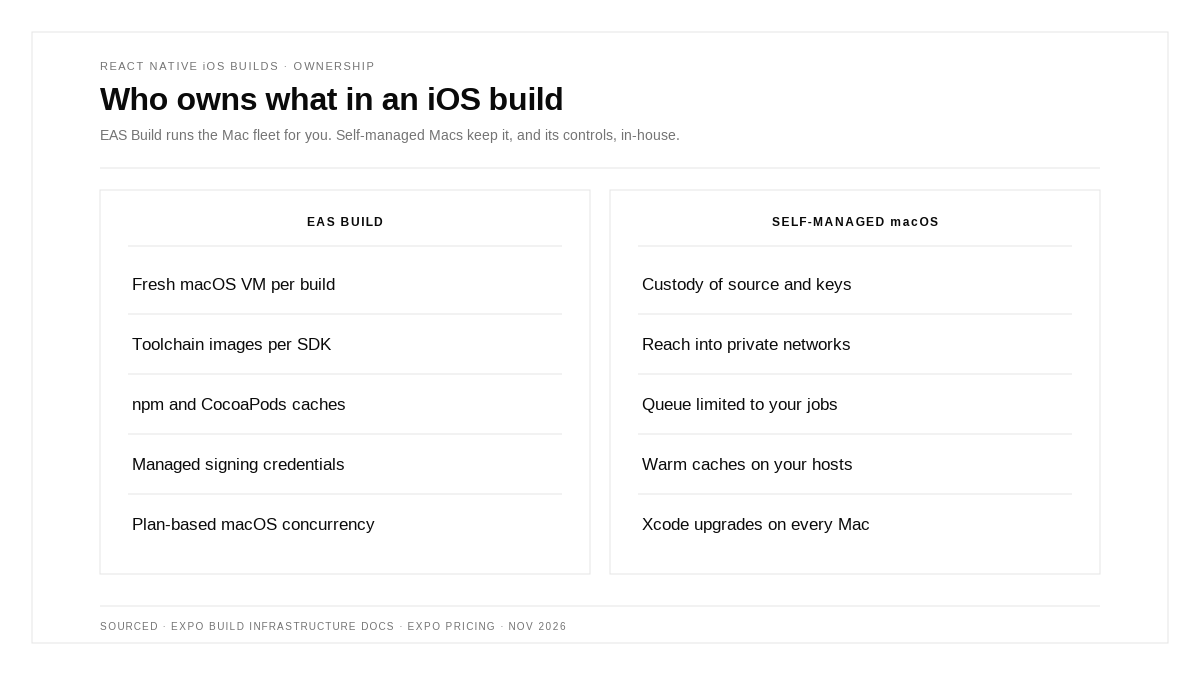
What EAS Build runs on your behalf
Expo now markets the service as Expo Build, while eas CLI and eas.json keep the original names. Under either name, the iOS side is a managed Mac fleet. Expo's build server infrastructure documentation describes it precisely:
| Property | EAS Build iOS workers |
|---|---|
| Host | Mac mini hosts in Expo's own macOS cloud |
| Isolation | A fresh macOS VM for every build |
| Medium resource class | 5 performance cores, 20 GiB RAM, 110 GB SSD |
| Large resource class | 10 performance cores, 40 GiB RAM, 110 GB SSD |
| Toolchain | Images pinned per Expo SDK alias, with Xcode, CocoaPods, fastlane and Node preinstalled |
| Caching | npm and CocoaPods caches inside Expo's network |
For comparison, GitHub's standard arm64 macOS runner has 3 M1 cores and 7 GB of RAM. The bigger difference is the work around build: image upgrades per Xcode release, CocoaPods versions, signing credentials and fresh-VM isolation all sit with Expo. The auto image alias picks a toolchain from your SDK and React Native versions, so an SDK upgrade usually needs zero infrastructure changes.
EAS Build pricing tiers with macOS concurrency
Expo's pricing page sets the limits that matter for a team:
| Plan | Monthly price | Builds | macOS concurrency | Build timeout |
|---|---|---|---|---|
| Free | $0 | 15 iOS builds, low-priority queue | 1 | 45 minutes |
| Starter | $19 plus usage | $45 of build credit, high priority | Up to 2 | 2 hours |
| Production | $199 plus usage | $225 of build credit, high priority | Up to 10 | 2 hours |
| Enterprise | Custom | $1,000 of build credit and up | Up to 15 | 2 hours |
Extra concurrencies cost $50 each, and unused credit resets every billing period. Concurrency is the number to watch. A team that builds every pull request at 2 p.m. on a busy day feels a two-build macOS ceiling long before it feels the bill.
What self-managed macOS gives back
Running your own Macs, owned or rented, returns four things EAS Build holds:
- Custody. Source code and signing credentials stay on machines you control, which some security reviews require.
- Network reach. Builds that pull private packages or call internal services from inside your network work with zero vendor allowlisting.
- Zero queue. Your fleet waits only on your own jobs.
- Steady-state cost. High, even build volume spreads hardware cost thin.
The price is fleet itself: Xcode upgrades on every host, CocoaPods and Ruby versions, fastlane match for certificates, cleanup between jobs, and Apple's limit of two virtual machines per Mac. This comparison of covers the fleet side in depth, including ephemeral VMs with Tart.
The hybrid: eas build --local on your own Macs
Expo ships a middle path. eas build --platform ios --local runs the same build process the cloud workers run, on your machine or your CI's Mac. Expo's local builds documentation states that the only contact with Expo's servers is confirming the project exists and, if you use managed credentials, downloading them.
The trade-offs are specific:
- Single platform per run. The all platform option is disabled locally.
- Your toolchain. The image, node, yarn, fastlane and cocoapods fields in eas.json are ignored; you install Node, the package manager, fastlane and CocoaPods yourself.
- Zero managed caching. Local builds skip Expo's caches, so cache node_modules and Pods in your CI.
- Secrets locally. Expo environment variables with secret visibility are unavailable; set them in build environment.
This suits teams that want Expo's build logic with full custody, and it doubles as the way to debug a cloud build failure on a machine you can inspect.
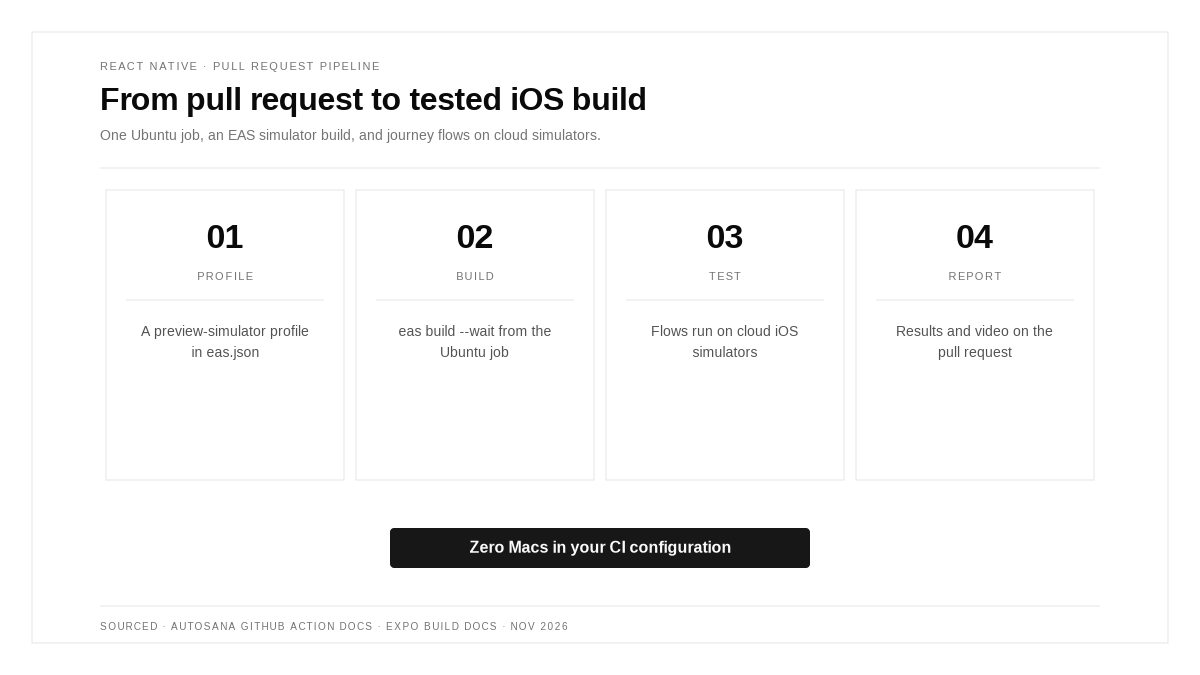
One React Native pull request, from build to tested
Here is the whole loop for a pull request, running entirely on ubuntu-latest, with iOS build on EAS. The workflow follows Autosana's GitHub Action documentation.
1. Add a simulator build profile.
{
  "build": {
    "preview-simulator": {
      "distribution": "internal",
      "ios": { "simulator": true }
    }
  }
}
A simulator build skips device signing, so it is the fastest iOS artifact EAS produces for testing.
2. Build on EAS from the Linux job.
eas build --platform ios --profile preview-simulator --non-interactive --wait --json > build-info.json
BUILD_URL=$(jq -r '.[0].artifacts.buildUrl' build-info.json)
curl -L "$BUILD_URL" -o app.zip
--wait keeps the job alive until the Mac finishes, and the JSON output carries the artifact URL.
3. Run the user journeys on simulators.
- uses: autosana/autosana-ci@main
  with:
    api-key: ${{ secrets.AUTOSANA_KEY }}
    platform: ios
    bundle-id: com.example.app
    build-path: app.zip
    labels: smoke
The action uploads build, runs the flows labeled smoke on Autosana's iOS simulators, waits for results, and fails the job when a flow fails. Results and video land on the pull request.
Three steps, zero Macs in your CI configuration. This guide to Expo E2E testing covers which build profiles to test and how other frameworks compare.
macOS builds for agent-generated iOS code
Coding agents write React Native code in Linux containers, while Xcode lives on macOS. The same pattern serves them: an agent runs eas build --platform ios --profile preview-simulator from its container, then checks the result on a cloud simulator. With Autosana, autosana sandbox start --platform ios --upload app.zip leases a cloud iOS Simulator and installs the build, and the agent taps through its change with a screenshot after every step. The sandbox documentation covers the commands.
Two habits keep agent build costs sane. First, JavaScript-only changes skip rebuild: a debug build loads from Metro, and autosana sandbox forward 8081 connects the cloud simulator to Metro in the container. Second, agents compete with humans for macOS concurrency, so give agent builds their own profile and watch the concurrency ceiling on your plan.
Decision signals for React Native iOS build infrastructure
Ranked by how strongly each one points:
- Credential custody rules. A policy that keeps signing keys off third-party systems points to self-managed Macs or eas build --local.
- Private network dependencies. Builds that reach internal registries or services point the same way.
- Concurrency at peak. Regular waits for a macOS slot point to a higher plan, extra concurrencies, or your own Macs.
- Team size and appetite. A small team with zero mobile DevOps time points firmly to EAS Build.
Gobi, a social maps app built in React Native, started end-to-end testing way most Expo teams do, following Expo's documentation. The Gobi case study covers what changed when the team moved from 13 brittle Maestro tests to more than 30 agentic flows, the testing half of the same pipeline.
For broader framework choices, see this overview of React Native E2E testing.
Conclusion
EAS Build hands the Mac fleet to Expo: a fresh VM per build, pinned toolchains, caches and credentials, with plan limits on macOS concurrency. Self-managed Macs return custody, network reach and steady-state economics, and eas build --local lets you keep Expo's pipeline on hardware you control.
Most React Native teams start on EAS Build, build simulator artifacts from Linux CI, test them on cloud simulators, and revisit the choice when custody rules or concurrency start to bind.
FAQs
Is EAS Build the same as Expo Build?
Yes. Expo renamed the service; eas CLI and eas.json keep their names.
What hardware do EAS Build iOS workers use?
Fresh macOS VMs on Mac mini hosts; medium has 5 performance cores and 20 GiB.
How many iOS builds does Expo's free plan include?
Fifteen iOS builds a month, with one macOS concurrency and a 45-minute timeout.
What does eas build --local do?
It runs Expo's build pipeline on your own machine, keeping credentials and source local.
Can an AI agent build an iOS app from Linux?
Yes. It can trigger an EAS simulator build, then test it on a cloud simulator.
How does Autosana test EAS builds?
Its GitHub Action uploads the EAS simulator build and runs flows on iOS simulators.