
Parallel Espresso testing on an Android emulator fleet
Run Espresso suites in parallel across Android emulators: sharding layers, Test Orchestrator, GPU modes for CI, Quick Boot snapshots and KVM runners.
- Written by
- Gautam Agarwal
- Read time
- 8 min read
- Published

Key Takeaways
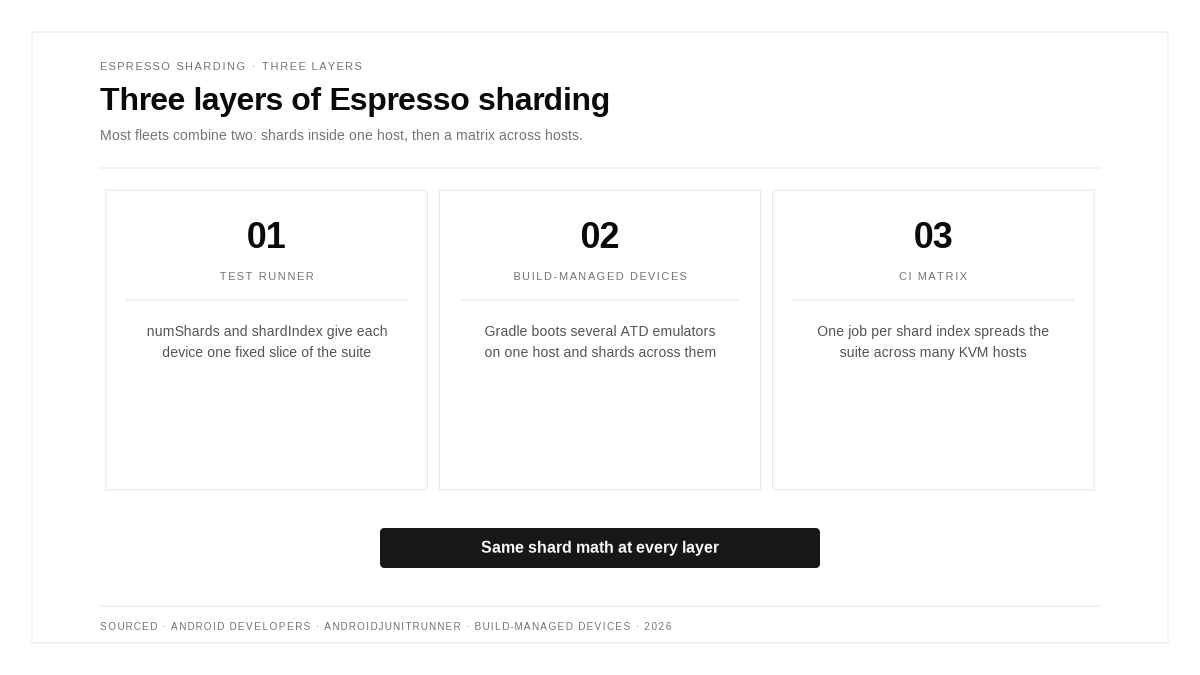
- Espresso shards at three layers: AndroidJUnitRunner's numShards, build-managed device shards in Gradle, and a CI matrix across hosts.
- Android Test Orchestrator isolates each test in its own instrumentation, at the cost of an app restart per test.
- Google's emulator docs deprecate swiftshader_indirect in emulator 36.4.9, while the managed-device docs still recommend it for GitHub Actions.
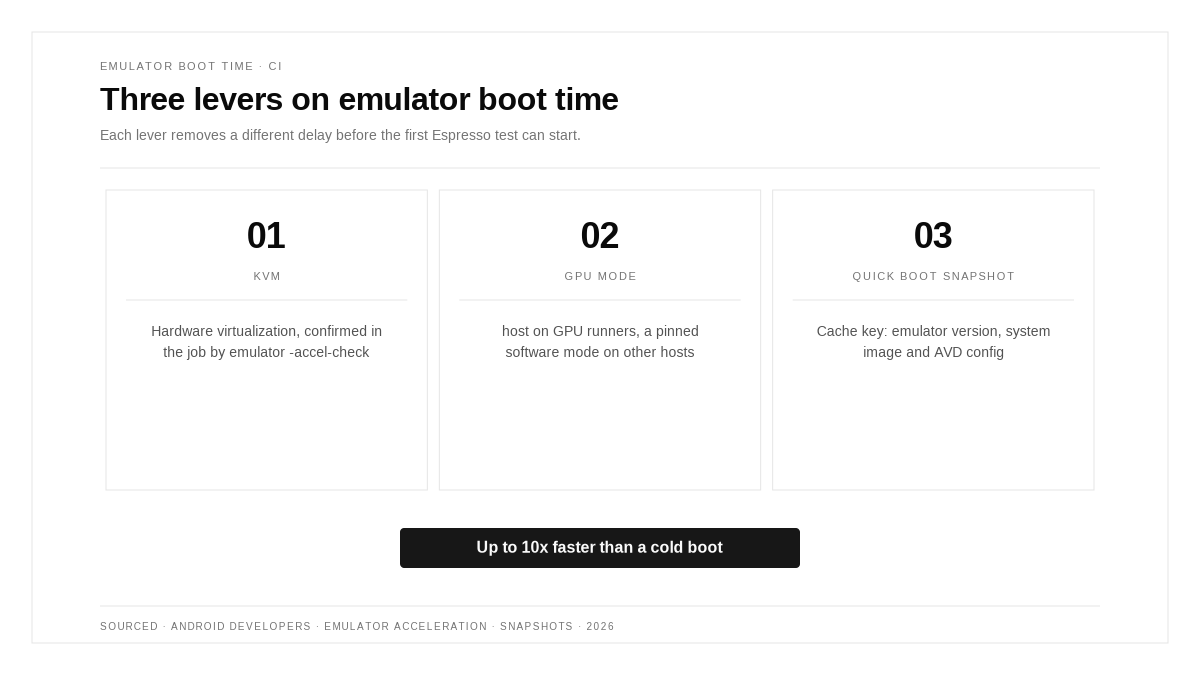
- Quick Boot snapshots start an AVD up to 10x faster than a cold boot, and any emulator, image or AVD change invalidates them.
- GitHub-hosted 2-vCPU Linux runners support KVM for the emulator once the runner user joins the kvm group.
Parallel Espresso testing splits one instrumented suite across several Android emulators that run at once, so the wall-clock time of a UI suite drops with the shard count. The hard parts sit underneath: hosts with KVM, a GPU mode CI can render, and boot times that snapshots keep short.
Why Espresso emulator fleets get flaky
An Espresso suite on one emulator works until it stops fitting in a coffee break. The obvious fix is more emulators, and that is where a second set of problems shows up.
Espresso synchronizes with the main thread and waits for the app to go idle before every action. That makes it fast and stable on a healthy emulator and fragile on a starved one. An emulator that lost hardware acceleration, or a host running more emulators than its CPU can serve, turns every idle wait into a timeout. The failures look like flaky tests and come from the fleet.
So the work of a parallel Espresso setup is mostly infrastructure: splitting the suite cleanly, isolating tests inside each slice, and keeping every emulator fast enough that Espresso's waits mean something.
Building blocks of an Android emulator fleet
Sharding that splits the suite
AndroidJUnitRunner splits a suite deterministically by index: adb shell am instrument -e numShards 8 -e shardIndex 3 always runs the same eighth of the tests. Every higher layer builds on that primitive, including Firebase Test Lab, which recommends 2 to 10 test cases per shard because each shard pays app startup again.
Gradle's build-managed devices add parallel emulators on one host with zero shell scripts. The build-managed devices documentation covers device groups, sharding and the Automated Test Device images that strip preinstalled apps and background services:
// app/build.gradle.kts
android {
  testOptions {
    managedDevices {
      localDevices {
        create("pixel6api30") {
          device = "Pixel 6"
          apiLevel = 30
          systemImageSource = "aosp-atd"
        }
      }
    }
  }
}
# gradle.properties
android.experimental.androidTest.numManagedDeviceShards=4
Running ./gradlew pixel6api30DebugAndroidTest boots four identical ATD emulators, runs a quarter of the suite on each, and writes one result file per shard.
Isolation inside each shard
Parallel shards remove time and leave state untouched. Test 14 can still fail because test 13 left a session behind. Android Test Orchestrator runs each test in its own Instrumentation instance, so a crash takes down one test and the rest still report; with clearPackageData it runs pm clear after every test.
android {
  defaultConfig {
    testInstrumentationRunner = "androidx.test.runner.AndroidJUnitRunner"
    testInstrumentationRunnerArguments["clearPackageData"] = "true"
  }
  testOptions { execution = "ANDROIDX_TEST_ORCHESTRATOR" }
}
The AndroidJUnitRunner documentation names the cost: the app restarts after each test. Shard counts tend to rise after the orchestrator goes in, which is why the two features usually arrive together.
A GPU mode the host can render
The emulator's -gpu flag picks the renderer: host on machines with a usable GPU, auto to let the emulator choose, and the software modes software, swiftshader, lavapipe and swangle elsewhere. One detail catches teams out. The managed-device page tells you to pass swiftshader_indirect on servers such as GitHub Actions, and the emulator acceleration page lists that mode as deprecated since 36.4.9. Pin the emulator version, test the current software modes on your runner, and write the chosen mode into the workflow.
ATD images disable hardware rendering, and Google notes that screenshot tests depending on it are unsupported there. Tests that need real rendering, such as Compose screenshot tests, maps and video, belong on a GPU host.
Snapshots that skip cold boot
A cold boot is the slowest step in every emulator job. Quick Boot snapshots restore a saved state and, per Google, start an AVD up to 10x faster. They expire with their inputs: any change to the emulator version, system image or AVD configuration invalidates them, so the cache key has to include exactly those three.
KVM on every host
Every block above assumes hardware virtualization. An emulator that falls back to translating machine code turns into the timeout generator described earlier. Run emulator -accel-check at the start of every job and fail fast when KVM is missing. Setting up the base emulator is covered in this walkthrough on Android emulator setup with hardware acceleration.
One Espresso run across a fleet, start to finish
Here is a single pull request on a CI matrix of eight Linux hosts.
1. Build the APKs once. One job runs assembleDebug and assembleDebugAndroidTest and uploads both. Eight shards building their own APKs would pay for eight identical builds.
2. Turn on KVM. On GitHub-hosted Linux runners, which support Android hardware acceleration on 2-vCPU machines and up, the job adds its user to the kvm group:
- name: Enable KVM
  run: |
    echo 'KERNEL=="kvm", GROUP="kvm", MODE="0666", OPTIONS+="static_node=kvm"' | sudo tee /etc/udev/rules.d/99-kvm4all.rules
    sudo udevadm control --reload-rules
    sudo udevadm trigger --name-match=kvm
3. Restore the snapshot and boot read-only.
- uses: actions/cache@v4
  with:
    path: ~/.android/avd
    key: avd-${{ env.EMULATOR_VERSION }}-${{ env.SYSTEM_IMAGE }}-${{ hashFiles('avd/config.ini') }}
- run: |
    emulator -avd ci_pixel6 -no-window -no-boot-anim -no-snapshot-save -gpu swiftshader &
    adb wait-for-device
    until [ "$(adb shell getprop sys.boot_completed | tr -d '\r')" = "1" ]; do sleep 2; done
-no-snapshot-save keeps a dirty shard from overwriting the cached snapshot. Waiting on sys.boot_completed matters because adb reports a device as connected well before Android finishes booting.
4. Run one shard through the orchestrator. Install both APKs and pass numShards 8 and this job's shardIndex.
5. Collect results and discard the emulator. Upload the test report from each shard; the next run starts from the snapshot again.
Scaling Espresso past one CI host
Build-managed devices are the right start, and one runner's CPU and RAM cap them. Past that point, three choices remain.
- A CI matrix of KVM runners. The pattern above: one job per shard index, each with its own emulator. Scales with runner concurrency.
- GPU routing. At GitHub's list prices, a Linux 4-core GPU runner costs $0.052 a minute against $0.012 for a standard 4-core runner. Route only the rendering-sensitive shards there.
- A device service. Firebase Test Lab runs sharded instrumentation tests on Google's devices, billed per device-minute per shard, with shards counting toward a daily quota.
Flakes that survive isolation and healthy emulators usually sit in the tests themselves; this breakdown of flaky tests in GitHub Actions sorts them by layer.
Android emulator fleet options compared
| Option | Where emulators run | Scale unit | What you maintain |
|---|---|---|---|
| Build-managed devices on one runner | Your CI host | Shards per host | Runner size, Gradle config |
| CI matrix of KVM runners | Hosted or self-hosted Linux | One job per shard | Workflow, caching, GPU mode |
| Firebase Test Lab | Google's devices | Shards per device, billed per minute | Test APKs and shard counts |
| Genymotion SaaS | Genymotion's cloud | Instances from gmsaas | CI integration and ADB connections |
| Autosana | Pixel 6 to Pixel 10 emulators, Android 14 to 17 | Flows in parallel | Flow descriptions and test accounts |
Teams that later move off self-hosted KVM entirely can weigh that trade in managed Android emulators versus self-hosted KVM.
Where journey flows sit next to Espresso
Espresso stays the right tool for fast, in-process checks of a screen, living next to the code it tests. The journeys that cross screens, accounts and backend calls are a different layer, and this comparison of Appium, Espresso and Detox maps which framework fits which layer.
Autosana runs that journey layer on managed Android emulators, with the same universal .apk installing on real Pixel and Galaxy phones when hardware matters. The lists the emulator catalog and how to pin a model or Android version per run. A flow reads like the journey: "sign in with the seeded account, add the first item to the cart, and confirm the badge shows 1." With Run flows in parallel on, each flow gets its own setup hooks, account and data, and results land on the pull request with video.
Conclusion
A parallel Espresso fleet rests on five blocks: sharding, isolation, a renderable GPU mode, snapshots and KVM. Get those right and Espresso's own synchronization keeps the results trustworthy; miss one and the fleet manufactures flakes.
Start with build-managed devices on one KVM runner, add the orchestrator, move to a CI matrix when the host tops out, and route rendering-sensitive shards to GPU runners.
FAQs
How do I run Espresso tests in parallel?
Shard the suite with numShards and shardIndex, or with numManagedDeviceShards in Gradle.
Which GPU mode should CI emulators use?
Use host on GPU runners; on other hosts, pin a software mode such as swiftshader.
Do emulator snapshots work in CI?
Yes, when cached per emulator version, system image and AVD config, then loaded read-only.
Does Android Test Orchestrator slow tests down?
Yes, it restarts the app per test, trading speed for isolation.
Can GitHub Actions run the Android emulator with KVM?
Yes, hosted Linux runners support KVM after adding the runner user to the kvm group.
Does Autosana run Espresso tests?
Autosana runs natural-language journey flows on Android emulators alongside your Espresso suite.